
Reviews
Creative Coloring Fun delivers exactly what its name suggests: a free browser-based coloring activity with no timers, scores, or fail states. Its strengths are accessibility and flexibility—anyone can pick an image, choose colors, and work at their own pace on desktop or mobile. The main limitation is that it offers no progression or challenge, so players wanting goals or competition may find it too passive. It suits children, casual players, and anyone looking for a mindful few minutes of coloring.
Description
A Canvas for Every Mood
Creative Coloring Fun offers a selection of themed images, ranging from playful cartoons to simple designs. Each picture is divided into fillable areas, and the only goal is to color them however you like. Because there are no time limits or scores, the game never pressures you to finish quickly or match a specific style. The variety of images means you can pick a subject that fits your mood, whether you want something lighthearted or a straightforward pattern to fill.
How Coloring Works
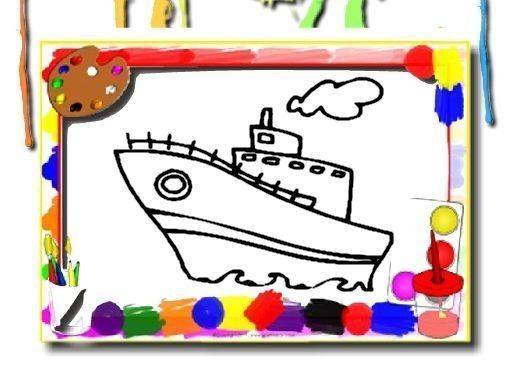
After choosing an image, you pick a color from the palette and apply it by clicking or tapping on the areas you want to fill. The controls are simple enough that no prior drawing skill is required. You can switch shades as often as you like, so experimenting with combinations is part of the process. If a color choice does not look right, many coloring games allow you to undo or restart, though the exact options depend on the version you play. [IMG_1]
Designed for Unwinding
This is not a game about winning or beating a clock. It is built for relaxation and mindfulness, where the act of filling shapes with color becomes the main activity. The absence of failure states means you cannot make a mistake that ruins the picture. That structure makes it suitable for players of all ages, including children and adults who want a calm creative outlet after a busy day.
Playing on Any Device
Creative Coloring Fun runs in a web browser and works on both desktop and mobile devices. The same simple controls apply across screen sizes, so you can color with a mouse on a computer or with a finger on a phone or tablet. Finished images can be saved or shared, which gives the activity a social dimension if you want to show others what you made. The game may receive updates with new images, though the available selection depends on the current version.
Compatibility
FAQ
Comments
Sign in to comment
You must be logged in before posting a review or rating.
No comments yet. Be the first to comment!









Editorial Notes