
Reviews
Charming Animal Dress-Up Studio delivers exactly what its name suggests: a gentle, browser-based dress-up tool for young players. The choice of cat, mouse, or rabbit gives each session a different starting point, while the absence of timers, scores, and locked content removes pressure. The soft art style and large buttons suit its intended audience. The main limitation is that it offers no challenges or progression beyond customization itself, which is fine for a creative toy but may not hold older players for long.
Description
Pick Your Animal Companion
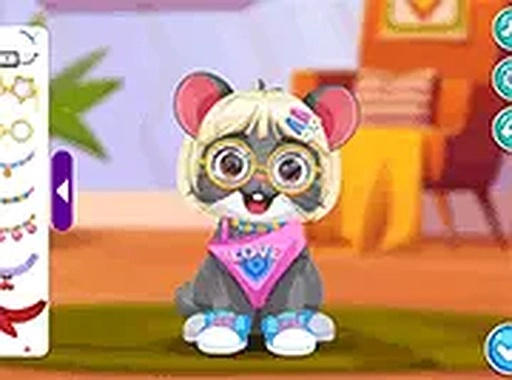
Charming Animal Dress-Up Studio opens with a simple choice: a cat, a mouse, or a rabbit. Each animal comes with its own base shape and fur pattern, which affects how clothing sits on the body. After selecting one, you land on the main customization screen where every clothing and accessory option is visible at once. Large buttons and clear labels mean younger players can navigate without help. No timers or scores rush the process, so you can spend as long as you like refining your pet's look.
Mixing and Matching Without Restrictions
The wardrobe includes tops, bottoms, hats, and shoes, plus accessories such as glasses, bows, and collars. A color palette lets you change the fur color and the color of individual clothing pieces. Each item applies with a single click or tap, and you can remove or replace anything at any time. Unlike many dress-up games that lock items behind levels or points, this one gives you complete freedom from the start. Every option is available immediately, with no premium features or locked content. That openness encourages bold combinations without penalty.
Soft Visuals and Smooth Browser Play
The art style uses soft colors and rounded shapes. Animals are drawn with large eyes and friendly expressions. Clothing items are clearly visible and scaled to fit each animal type properly. The background stays simple and uncluttered, keeping attention on your creation. The game runs smoothly in most modern browsers, and full-screen mode removes browser chrome for a more immersive view. Touch controls are responsive, and the layout adapts to different screen sizes. Because it runs entirely in the browser, there is no need to install software or create an account. This makes it easy to use on shared devices or school computers, and the game loads quickly without ads interrupting the creative process.
Compatibility
FAQ
Comments
Sign in to comment
You must be logged in before posting a review or rating.
No comments yet. Be the first to comment!





Editorial Notes